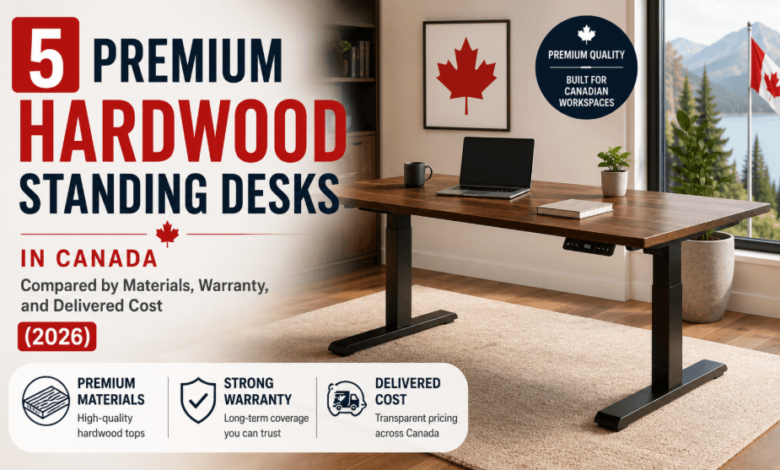
5 Premium Hardwood Standing Desks in Canada – Compared by Materials, Warranty, and Delivered Cost (2026)

Quick Verdict
- Best Cable Management: Effydesk, a solid wood Wildwood desk with a built-in cable tray and wireless charging pad.
- Best Minimal: Progressive Desk, a clean-lined Solo Ryzer frame paired with a solid ash or walnut top.
- Best Mini Hardwood: Desky, a compact Dual Mini Hardwood desk sized for small Canadian home offices.
- Best Mid-Range: Burotic, a Quebec-designed Aspire Solid Wood desk at an accessible price.
- Best for Gamers: UPLIFT, a solid wood V3 desk rated for multi-monitor, high-load setups.
- Evaluation criteria: desktop material, wood species, warranty terms, and total delivered cost to a Canadian address.
Five standing desk brands available to Canadian buyers sell a genuinely solid hardwood desktop, and the delivered cost varies by hundreds of dollars once shipping, currency, and warranty are factored in. The gap comes down to three things: solid wood versus veneer, which species it’s cut from, and whether the seller ships from inside Canada or bills in US dollars.
Most “best standing desk” roundups treat hardwood as a single checkbox and rank by price alone. A solid walnut top and a laminate finish printed to look like walnut are not the same purchase, and neither is a desk shipping free from Canada versus one priced in US dollars with shipping calculated at checkout. The five entries below are compared on exactly those terms.


This roundup carries no affiliate links or paid commissions. It was researched and written independently, with no brand paying for placement or ranking.
The 5 Premium Hardwood Standing Desks Compared
| # | Brand & Award | Material | Weight Capacity | Warranty | From (Delivered to Canada) |
| 1 | Effydesk: Best Cable Management | Solid wood (walnut, acacia, pheasant wood) | 310 lbs | 10-yr standard (15-yr with extension) | ~$1,200 CAD, free shipping |
| 2 | Progressive Desk: Best Minimal | Solid wood (ash or walnut) | 270 lbs | 15-yr (frame and top) | ~$1,203 CAD, free shipping |
| 3 | Desky: Best Mini Hardwood | Solid hardwood (8 species) | 330.7 lbs | 10-yr frame/electronics, 5-yr desktop | $909 CAD, free shipping |
| 4 | Burotic: Best Mid-Range | Solid wood (walnut, white oak, cherrywood) | 280 lbs | 10-yr limited | $775 CAD, free shipping |
| 5 | UPLIFT: Best for Gamers | Solid wood (10+ species) | 355 lbs | 15-yr | $819 USD, shipping calculated at checkout |
1. Effydesk Wildwood Solid – Best Cable Management
Effydesk builds its Wildwood desk around a genuine solid wood top, offered in walnut, acacia, or pheasant wood, with a cable tray under the crossbar and a 10-watt wireless charging pad built in.
Independent testing at the WorkWhileWalking website priced the desk from roughly $1,200 CAD for the smallest size [1]. The frame carries a 310-lb capacity, and the published warranty runs 10 years on the base, extendable to 15 with a protection plan bought within three months.
Strengths:
- Solid wood top with a dedicated under-desk cable tray, not an afterthought add-on
- Wireless charging built into the desktop surface
- 10-year base warranty, extendable to 15 years
Limitations:
- Marketing pages quote 20 years; the company’s own policy page states 10
- CAD pricing isn’t published on product pages; confirm the total at checkout
Ideal for: Buyers who want cable management solved at the desktop level rather than bought as a separate accessory.
Contact Effydesk:
Address: 110-2440 Canoe Ave, Coquitlam, BC
Phone: 604-715-7577
Instagram: instagram.com/effydesk/
2. Progressive Desk Solo Ryzer – Best Minimal
Progressive Desk pairs its Solo Ryzer frame with a solid ash or walnut tabletop, described on the company’s own site as a “clean, minimalist approach emphasizing natural materials.” The desktop finishes at 1.0 inches thick with dual circular grommets pre-cut for cable routing.
A Solo Ryzer frame runs $474.99 CAD, and a solid walnut top in the standard size adds $727.99 CAD, for a combined delivered cost of roughly $1,203 CAD with free shipping to Canada. Both the frame and top carry a 15-year warranty, the longest on this list outside UPLIFT.
Strengths:
- Solid ash or walnut top, not a laminate print, in a genuinely minimal design
- 15-year warranty on both the frame and the wood top
- Free shipping to Canadian addresses
Limitations:
- Frame and top are priced separately, not as one desk price
- Weight capacity trails the rest of this list at 270 lbs
Ideal for: Buyers who want an uncluttered, natural-material desk without paying for extra features they won’t use.
Contact Progressive Desk:
Address: 160-6691 Elmbridge Way, Richmond, BC V7C 4N1
Phone: 1-800-828-9414
Instagram: instagram.com/progressivedesk/
3. Desky Dual Mini Hardwood Sit Stand Desk – Best Mini Hardwood Standing Desk
Desky Dual Mini Hardwood Sit Stand Desk shrinks its hardwood platform down to a 32-by-20-inch or 40-by-24-inch desktop, built specifically for apartments, studio nooks, and secondary workstations where a full 60-inch frame won’t fit. The frame keeps the same height range and dual-motor lift as Desky’s larger desks, so the smaller footprint doesn’t come at the cost of adjustability. That combination matters most for renters and small-space buyers who want a genuine sit-stand desk without committing floor space they don’t have.
Hardwood delivers a durability payoff at this size that a laminate top can’t match in a heavily used corner desk, since a genuine wood surface resists nicks and dents and can be resanded rather than replaced. Desky offers the Mini across eight hardwood finishes, including walnut, pheasantwood, white oak, white ash, teak, acacia, saman, and maple, all at a 1-inch desktop thickness. That range gives a small desk real variation in grain and tone rather than a single laminate print, so it reads as a genuine furniture piece rather than a space-saving compromise.
The desk carries a 330.7-lb capacity, backed by a 10-year warranty on the frame and electronics, plus 5 years on the desktop, and the Mini Cable & Power Tray sells separately rather than being built in. TechRadar called the full-size Dual Hardwood, the Mini’s larger sibling on the same frame and finish line, a “highly recommended” workplace essential [4].
“I work long hours in a small space. I found the mini Desky and it’s been a game changer… The casters I put on the desk allow me to move it around the small space for a change of scenery. It’s perfect!” Mimi, 5 ⭐ on Trustpilot
Strengths:
- Genuine hardwood desktop in eight finishes at a compact footprint
- 330.7-lb capacity, well above most compact desks
- Free Canada-wide shipping, same-day dispatch before 12pm EST
Limitations:
- At 32–40 inches wide, too small for a serious multi-monitor setup
- Cable management is a separate accessory, not included in the base price
Ideal for: Buyers furnishing a small home office or secondary desk who still want a genuine hardwood surface.
Contact Desky:
Address: 1270 Humber Place, Ottawa, ON K1B 0B4
Phone: +1 800-657-5042
LinkedIn: linkedin.com/company/deskydesk/
4. Burotic Aspire Solid Wood Standing Desk – Best Mid-Range
Burotic designs the Aspire line in Quebec and sells it with a solid walnut, white oak, or cherrywood top over a dual-motor steel frame, marketed as an accessible entry point into solid wood desks starting at $775 CAD, well below the other options on this list.
The Aspire frame supports up to 280 lbs and carries a 10-year limited warranty. Cable management isn’t included at that base price; a dedicated solution and power bars sell separately at roughly $85 CAD each.
Strengths:
- Lowest entry price on this list for a genuine solid wood top
- Designed and supported from a Quebec, Canada address
- Free and fast-tracked shipping across Canada, typically 1 to 7 business days
Limitations:
- Cable management is a separate add-on purchase, not included at the base price
- Weight capacity and warranty length both trail the higher-priced options on this list
Ideal for: Budget-conscious buyers who still want a solid wood desktop rather than a laminate finish.
Contact Burotic:
Address: 99 Emilien-Marcoux, Suite 107, Blainville, QC J7C 0B4
Phone: +1 (844) 287-6842
Instagram: instagram.com/buroticfurniture/
5. UPLIFT V3 Solid Wood Standing Desk – Best for Gamers
UPLIFT builds its V3 frame around one of the widest solid wood selections on this list, with more than ten species available, including walnut, mahogany, and reclaimed fir. Independent outlet MMORPG has covered the desk specifically for gaming and streaming setups, citing its stability under multi-monitor loads [2].
The frame lifts up to 355 lbs, the highest capacity in this comparison, backed by a 15-year warranty and a FlexMount Cable Manager with mounted wraps. UPLIFT prices the desk in US dollars starting at $819; its shipping page confirms free delivery only within the contiguous United States, with costs to Canada calculated at checkout, so buyers should budget for currency conversion and possible duty.
Strengths:
- Widest solid wood species selection on this list, including several premium finishes
- Highest weight capacity in this comparison at 355 lbs
- 15-year warranty across the desk lineup
Limitations:
- Priced in USD with shipping to Canada calculated at checkout, not a flat CAD rate
- No confirmed free-shipping tier for Canadian addresses, unlike every other desk on this list
Ideal for: Gamers and streamers running heavy multi-monitor rigs who need the highest weight capacity on this list.
Contact UPLIFT:
Address: 1848 Ferguson Ln Bldg 1, Austin, TX 78754
Phone: (800) 349-3839
Instagram: instagram.com/upliftdesk/
Premium Hardwood Standing Desks: Materials Compared
Specifications alone don’t explain why one desk costs more than another. Placing all five side by side shows where the real differences sit.
Solid Hardwood vs. Hardwood Veneer
Solid hardwood uses a full-depth slab or edge-glued boards of a single species, the approach every desk on this list uses. Hardwood veneer instead bonds a thin layer of real wood, often under 3mm, to an engineered core like MDF or plywood.
Solid wood doesn’t automatically claim the ‘genuinely premium’ title here, since the comparison against veneer is a toss-up. Solid tops cost more and resist dents better, since scratches sand out rather than exposing the substrate, and can be refinished several times over their life. Veneer resists warping and seasonal cupping better in humid Canadian climates, since the core doesn’t move the way solid wood does, though solid wood keeps grain continuity through the edge that veneer can’t replicate.
Which Hardwood Species Is Worth Paying More For?
The five desks here draw from walnut, white oak, maple, acacia, cherrywood, ash, teak, and mahogany, and species genuinely changes what a buyer gets.
- Durability: White oak and maple rank among the hardest options and resist clamp marks best.
- Grain appearance: Walnut and mahogany show a darker, uniform grain; acacia and cherrywood show more piece-to-piece variation.
- Weight: Denser species like white oak and walnut add heft, worth considering for anyone who’ll move the desk later.
- Price premium: Walnut and mahogany command the highest per-square-foot premium here, with acacia and ash at the lower end.
No single species claims an objectively best label: a shared office favours white oak or maple for scratch resistance, and a video-call background often favours walnut.
Desktop Thickness: Does It Actually Matter?
Every desk in this comparison ships at a 1-inch thickness, resisting flex and bounce under typing pressure better than the 0.7-inch laminate common on budget desks.
A thicker top adds weight the motors must lift, the tradeoff for that added rigidity, and it partly explains why capacity varies across this list. Monitor arm compatibility depends on clamp depth, not thickness, and most C-clamp arms handle up to 1.4 inches, so every desk here fits comfortably.
See also: Exploring the Role of 6038673551 in Technological Solutions
FAQs
Does moving or disassembling a standing desk void the warranty?
Terms vary by brand, and the fine print isn’t always where a buyer expects it. Some manufacturers void coverage if a desk is reassembled by anyone other than a certified technician, so check the specific policy before assuming coverage survives a move.
Is bamboo considered a hardwood for standing desks?
Bamboo is technically a grass, though it’s commonly sold alongside hardwood options for its similar density. None of the five desks here use bamboo; all five use genuine solid hardwood species like walnut, oak, or maple.
Will I pay duty on a standing desk ordered from a US brand?
Duty exposure depends on the item’s value and where it was manufactured. Canada’s border agency confirms courier shipments valued over CA$150 can incur both duty and tax, while the $40 to $150 CAD range is typically duty-free but still taxed [3]. UPLIFT’s V3 at $819 USD sits well above that threshold, so factor in duty, GST or HST, and currency conversion.
How is the Desky Dual Mini Hardwood different from Desky’s full-size Dual Hardwood desk?
The Dual Mini uses the same frame and hardwood finishes as the full-size Dual Hardwood, scaled to a 32-by-20 or 40-by-24-inch desktop instead of the standard 48-to-80-inch range. Capacity and warranty terms carry over unchanged; only the footprint shrinks.
Is the Desky Dual Mini a good fit for a small Canadian home office?
The Dual Mini suits a single-monitor or light dual-monitor setup where floor space is limited. Its 330.7-lb capacity handles a monitor, laptop dock, and accessories, though anyone running three or more monitors should look at the full-size Dual Hardwood instead.
The Bottom Line
Five brands sell five genuinely solid hardwood desks, each with a different answer to what “premium” costs once it reaches a Canadian address. Effydesk and Progressive Desk lead on cable management and minimalist design, Burotic wins on price without dropping to laminate, Desky’s Dual Mini fills the compact-footprint gap, and UPLIFT’s capacity and species selection suit the heaviest multi-monitor rigs.
Weigh each option against what your setup actually needs: species and finish for appearance, warranty length for how long the desk should last, and delivered cost rather than sticker price for what you’ll really pay.